
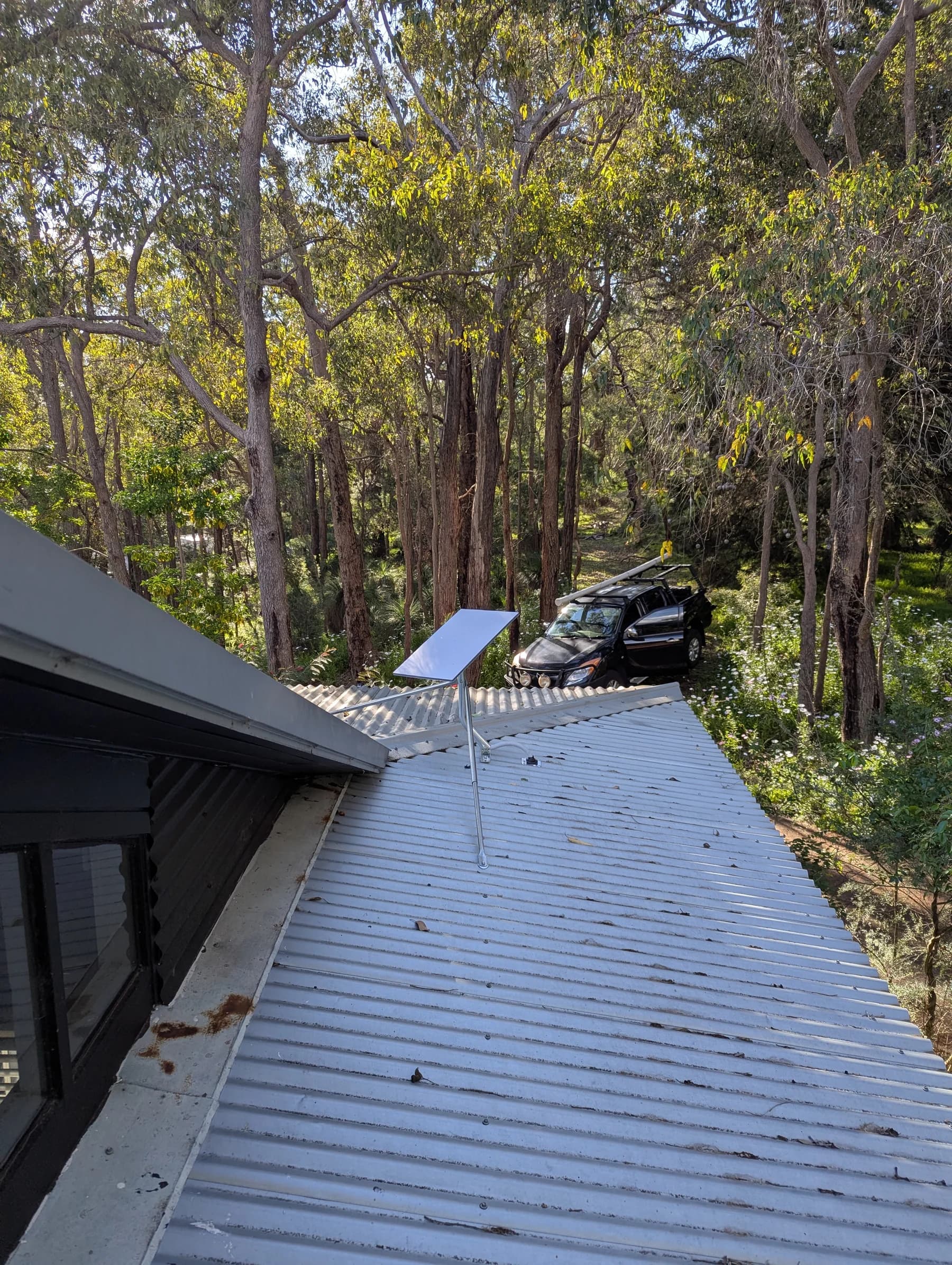
This Darlington project combined several jobs into one complete connectivity upgrade. Starlink provided the internet service, a Ruijie/Reyee network delivered reliable Wi-Fi through the main house, a dedicated wireless bridge carried the network to a detached shed, and a separate access point provided useful Wi-Fi inside the shed. We also completed a wall-mounted TV installation in the shed.
The goal: one reliable network across the whole property
The challenge was not simply getting an internet connection into the house. This property needed connectivity in several very different areas.
The main home needed dependable Wi-Fi for everyday use, while the detached shed also needed a proper network connection for entertainment and connected devices.
Rather than trying to stretch one router further than it was designed to reach, the property was treated as one complete network. Starlink provides the internet service, while the local network distributes that connection to the places where it is actually needed.
- reliable Wi-Fi through the main house
- internet carried across to the detached shed
- proper Wi-Fi coverage inside the shed
- one planned network rather than a collection of boosters or repeaters
- a system that can be managed and expanded as requirements change
Starlink provided the connection — the network made it useful
Darlington properties can present some interesting challenges for internet and Wi-Fi. Large blocks, trees, detached buildings and the distance between usable areas can all make a standard router-only setup inadequate.
The Starlink dish was positioned externally with a suitable view of the sky and connected into the property's network infrastructure.
From there, the important part was getting that connection distributed properly. Two ceiling-mounted Ruijie/Reyee access points provide Wi-Fi through the main house rather than expecting the Starlink router alone to cover the property.
Strong Wi-Fi through the main house
Inside the home, the network uses dedicated ceiling-mounted access points rather than relying on a single wireless router.
Placing the Wi-Fi where it is actually needed gives devices a much better connection and avoids asking one router to push signal through the entire building.
Both access points are connected back to the central network switch, giving the wireless network a wired backbone and keeping the connection between the access points and the internet stable.
- two strategically positioned access points
- wired connections back to the network
- better coverage across the areas people actually use
- a single managed Wi-Fi network
- no reliance on weak wireless backhaul between mesh nodes
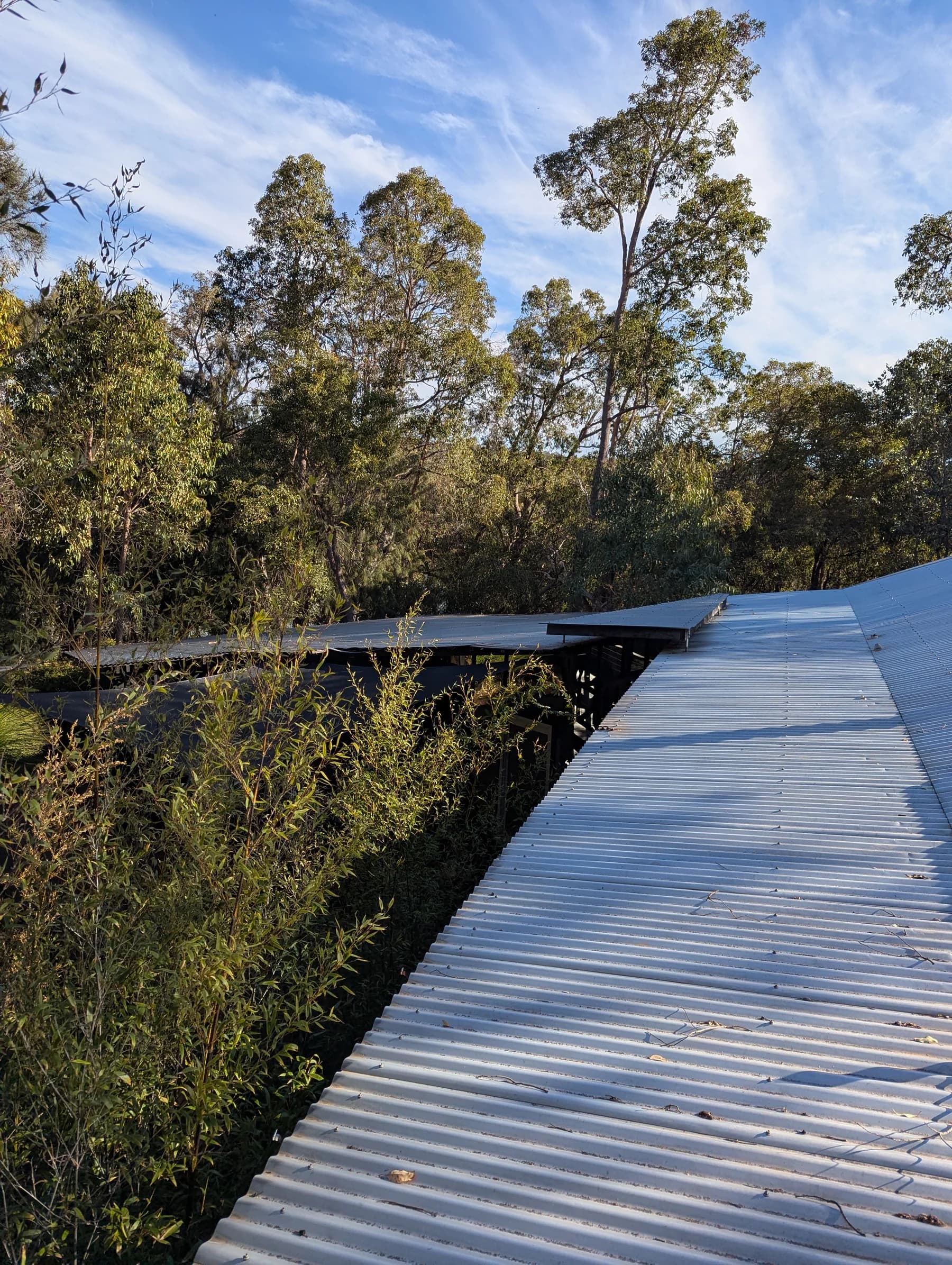
A dedicated wireless bridge to the shed
The detached shed was too far away to rely on Wi-Fi leaking out from the house.
A dedicated point-to-point wireless bridge was installed between the buildings instead. One unit connects to the house network and the matching unit at the shed receives that connection across the property.
This effectively extends the network to the shed without trying to make an indoor Wi-Fi access point cover the distance between the two buildings.
Once the network reaches the shed, a dedicated access point provides Wi-Fi inside where the customer actually uses it.
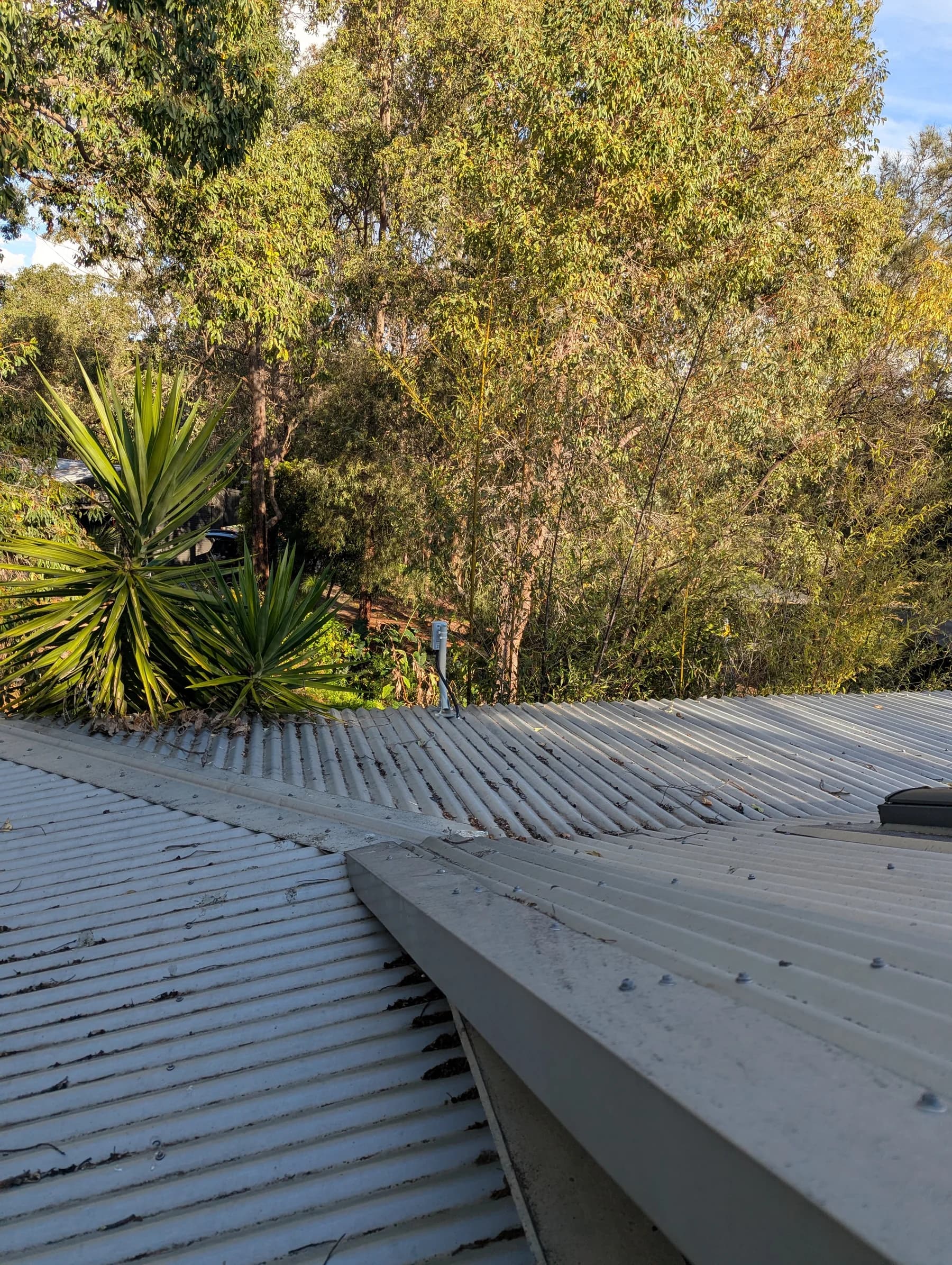
The other end of the link
A point-to-point bridge works as a pair. The house-side unit provides the network connection across the property, while the shed-side unit receives it.
Positioning and alignment matter, particularly on a leafy Hills property where buildings, trees and terrain can affect the wireless path.
The objective is not simply to show a signal between the two radios. The finished connection needs to support the devices and Wi-Fi network inside the destination building reliably.
Proper Wi-Fi inside the shed
Getting the network to the outside of a shed is only half the job. Metal buildings are particularly unfriendly to Wi-Fi, so the connection needs to be delivered inside rather than relying on a radio mounted outside.
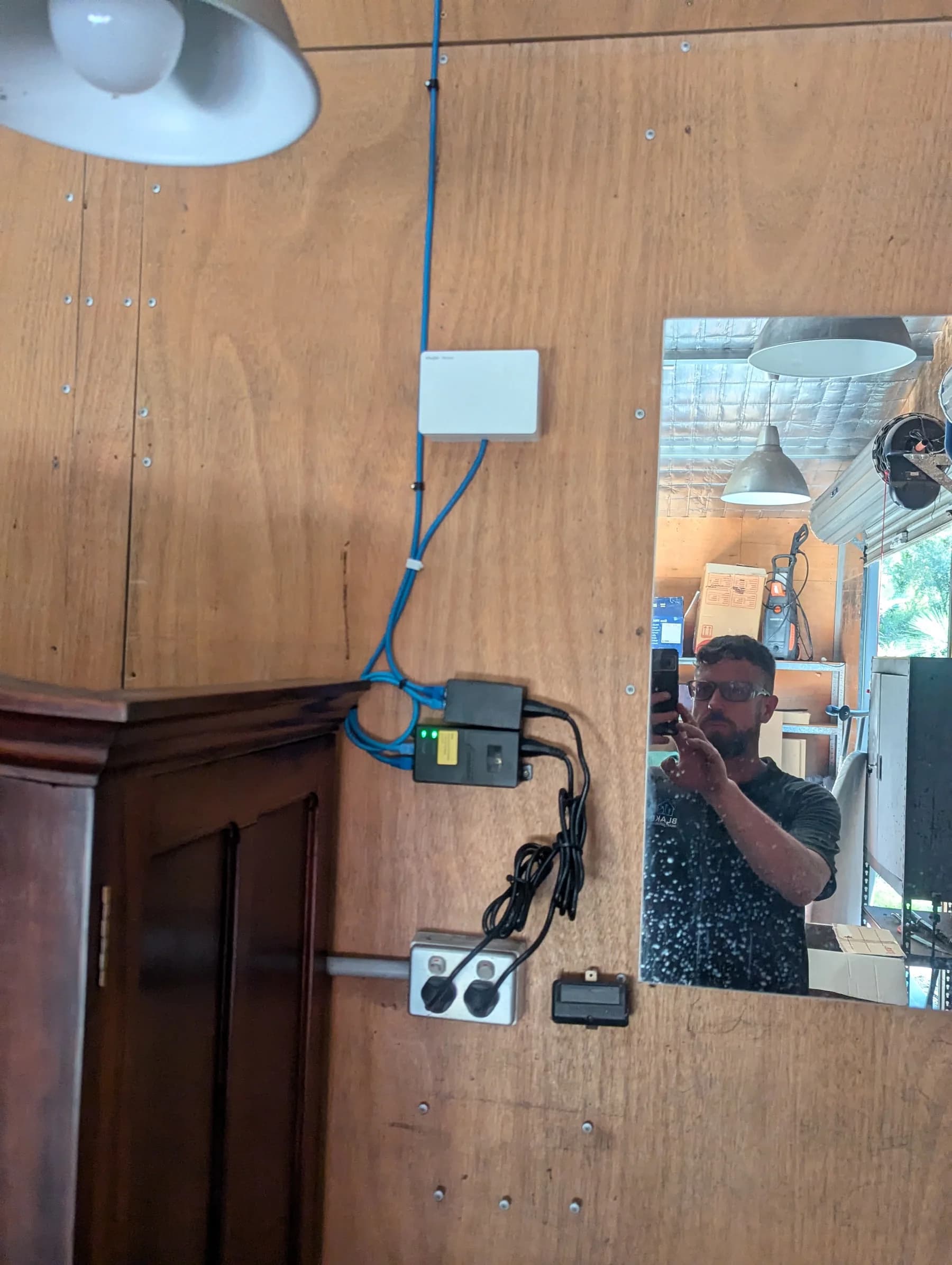
A dedicated Ruijie/Reyee access point was installed inside the shed and connected to the bridge.
That gives the shed its own strong local Wi-Fi coverage for phones, streaming, connected equipment and anything else that needs access to the network.
One network from Starlink to the shed
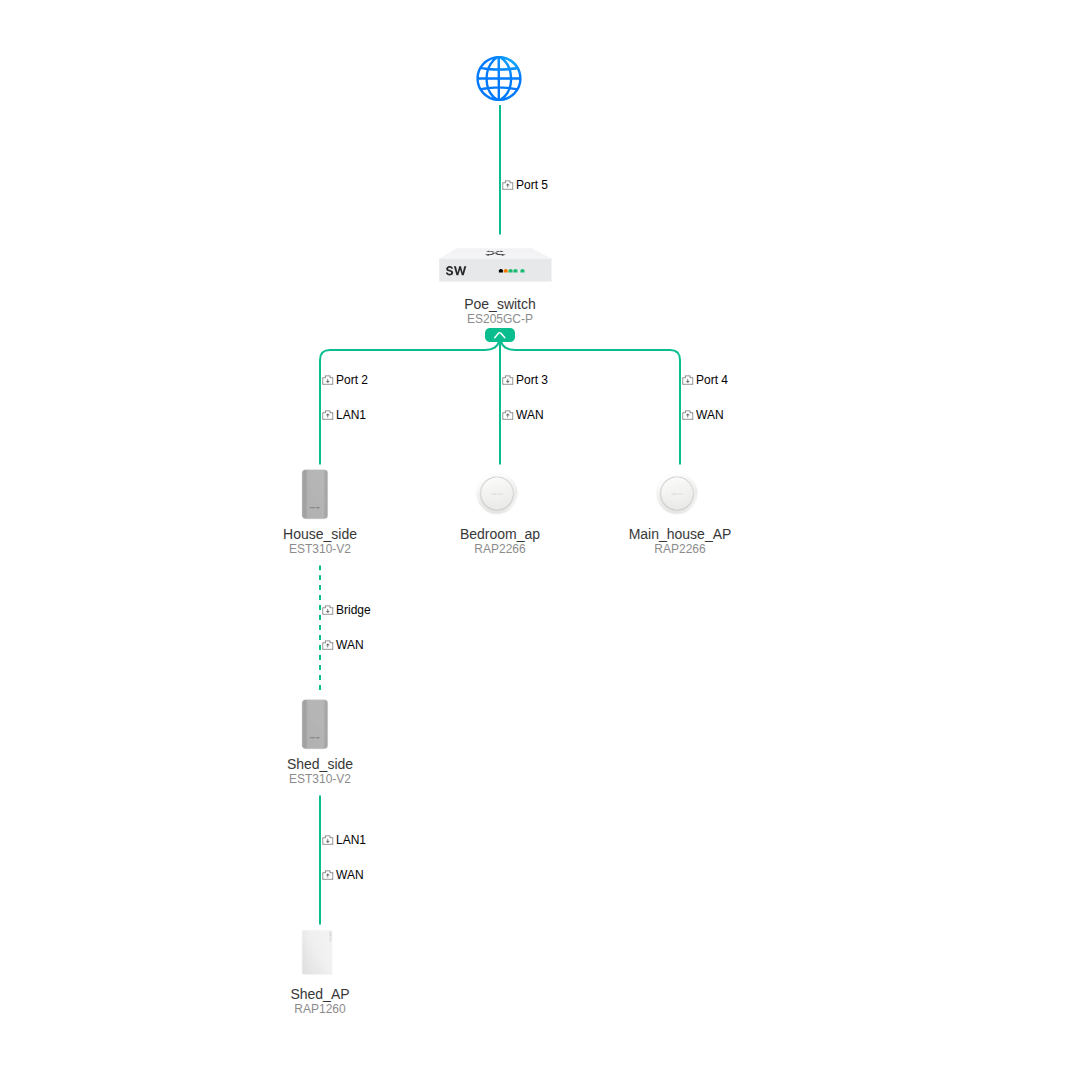
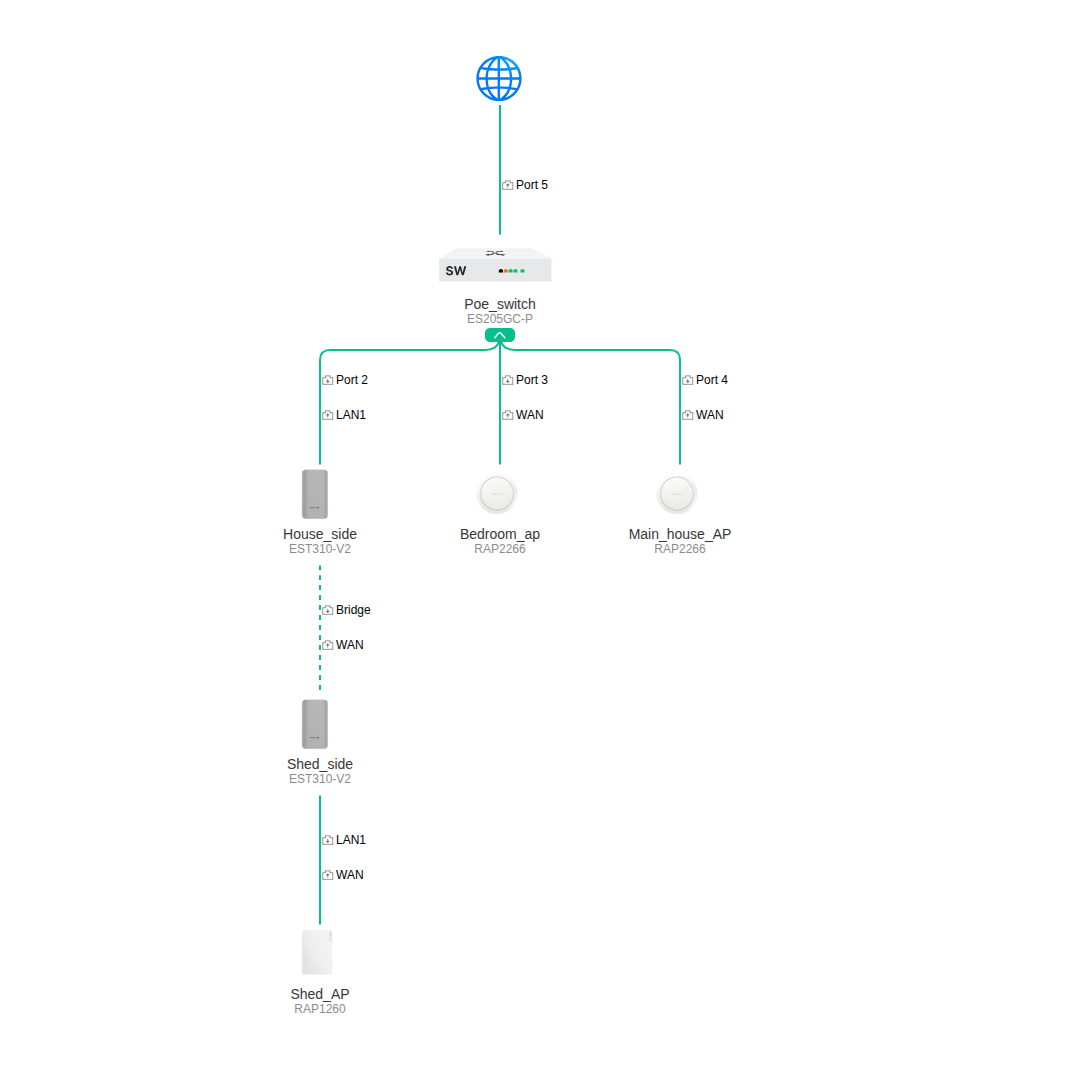
The finished topology shows how the different parts of the project work together.
Starlink provides the internet connection. A central PoE switch connects the two access points in the main house and the house-side bridge. The wireless bridge carries the network to the shed, where another access point provides local Wi-Fi coverage.
This is the difference between simply installing internet equipment and designing connectivity around how a property is actually used.
TV installation in the shed
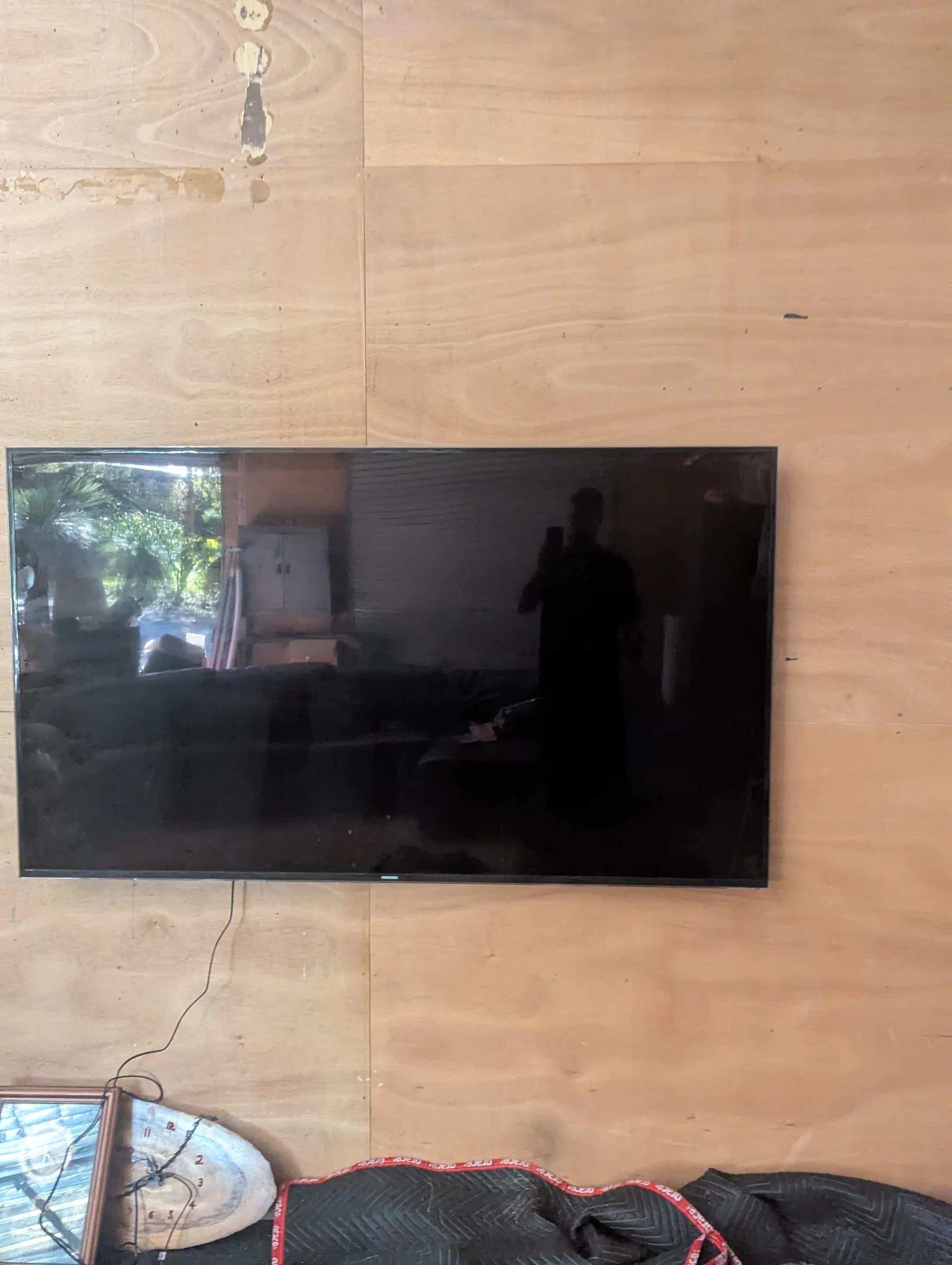
The shed was being set up as a space the customer could actually enjoy, so the project also included mounting the television on the wall.
With the TV installed and reliable Wi-Fi now available inside the building, streaming and connected entertainment no longer depend on a weak signal coming from the house.
It is a small part of the overall network project, but it demonstrates the real outcome: the shed is now a properly connected part of the property.
The final result
The finished system gives the customer one properly planned network across the areas of the property that matter.
Starlink delivers the internet connection, dedicated access points provide Wi-Fi through the house, the wireless bridge carries the network to the detached shed, and a separate access point provides strong Wi-Fi once it gets there.
Instead of trying to make one router cover a large Hills property, each part of the network has a specific job.
The result is reliable connectivity in the home and shed, with a system designed around the property rather than around the limitations of a single Wi-Fi router.