
Blake Smart Solutions provides Starlink installation across Perth for customers who already have their Starlink kit and want it installed properly. That can include roof mounting, pole adapters, cable routing, conduit, weatherproof cable entry, router setup, dish alignment, Wi-Fi checks and customer handover.
Do you buy Starlink first or book the installer first?
In most cases, the customer buys the Starlink kit first.
You can order the kit directly through Starlink, choose the plan that suits your address, and wait for the hardware to arrive. Once the kit is on its way or has arrived, you can book an installer to mount it properly.
That said, it can be worth speaking to an installer before the kit arrives if you are not sure about the property.
- The home is double-storey
- The roof is steep or difficult to access
- There are trees around the property
- The router needs to go in a specific room
- The cable path is not obvious
- The dish may need to go on a shed, pole or outbuilding
- You want Wi-Fi extended through the house or to another building
What does a Starlink installer actually do?
A proper Starlink installation is more than just bolting the dish to the roof.
The installer needs to consider where the dish should go, how the cable will be routed, how the roof or wall entry will be sealed, where the router should sit, and whether the Wi-Fi will actually work where the customer needs it.
The goal is to leave the customer with a working, tidy and permanent setup, not a loose cable and a router dumped wherever it happened to land.
- checking for a suitable dish location
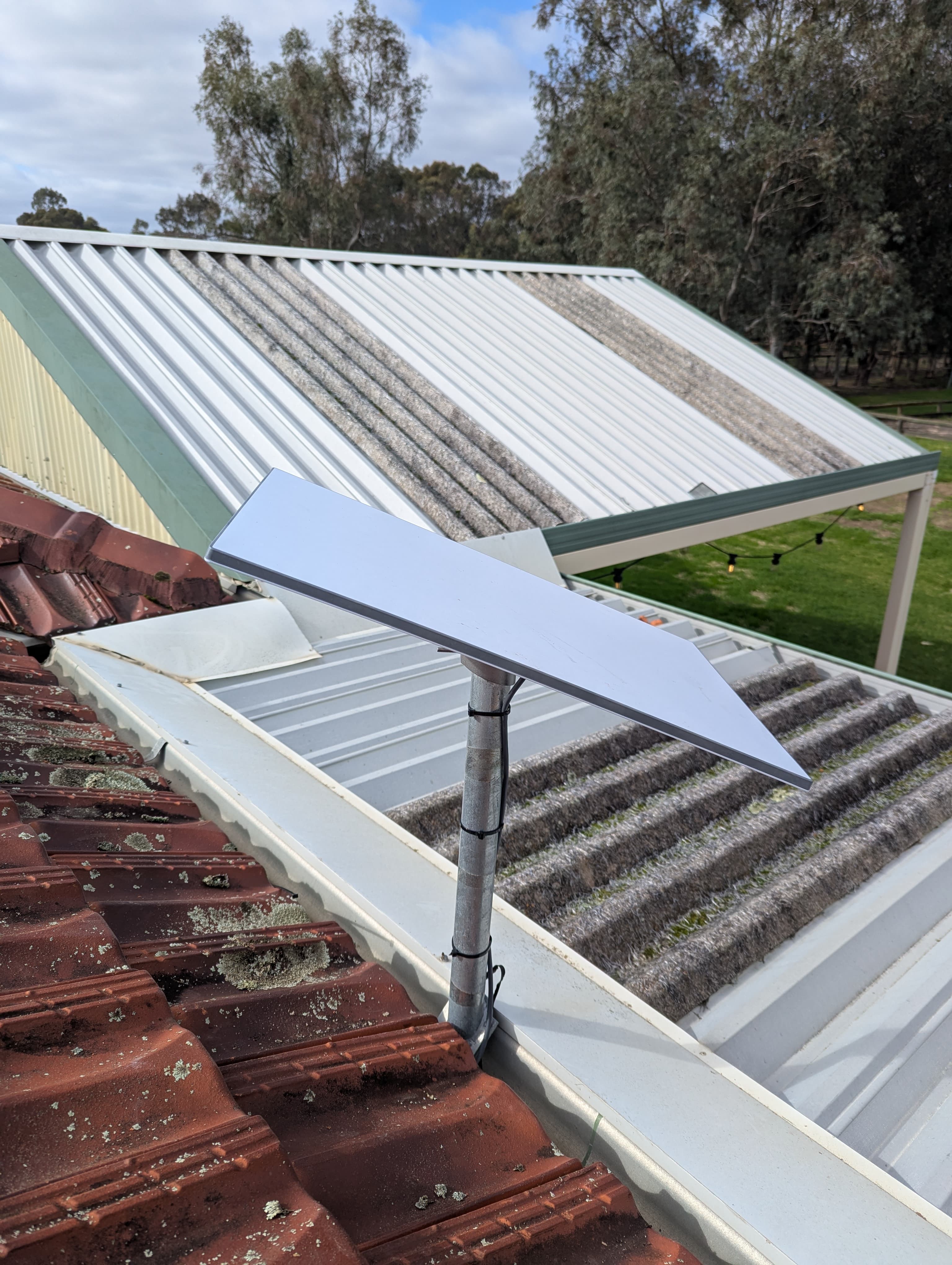
- mounting the dish securely
- using a pole adapter where required
- routing the Starlink cable neatly
- protecting exposed cable with conduit where needed
- sealing roof or wall penetrations
- setting up the Starlink router
- checking dish alignment and obstructions
- testing the internet connection
- checking the basic Wi-Fi function inside the home
- showing the customer what has been installed
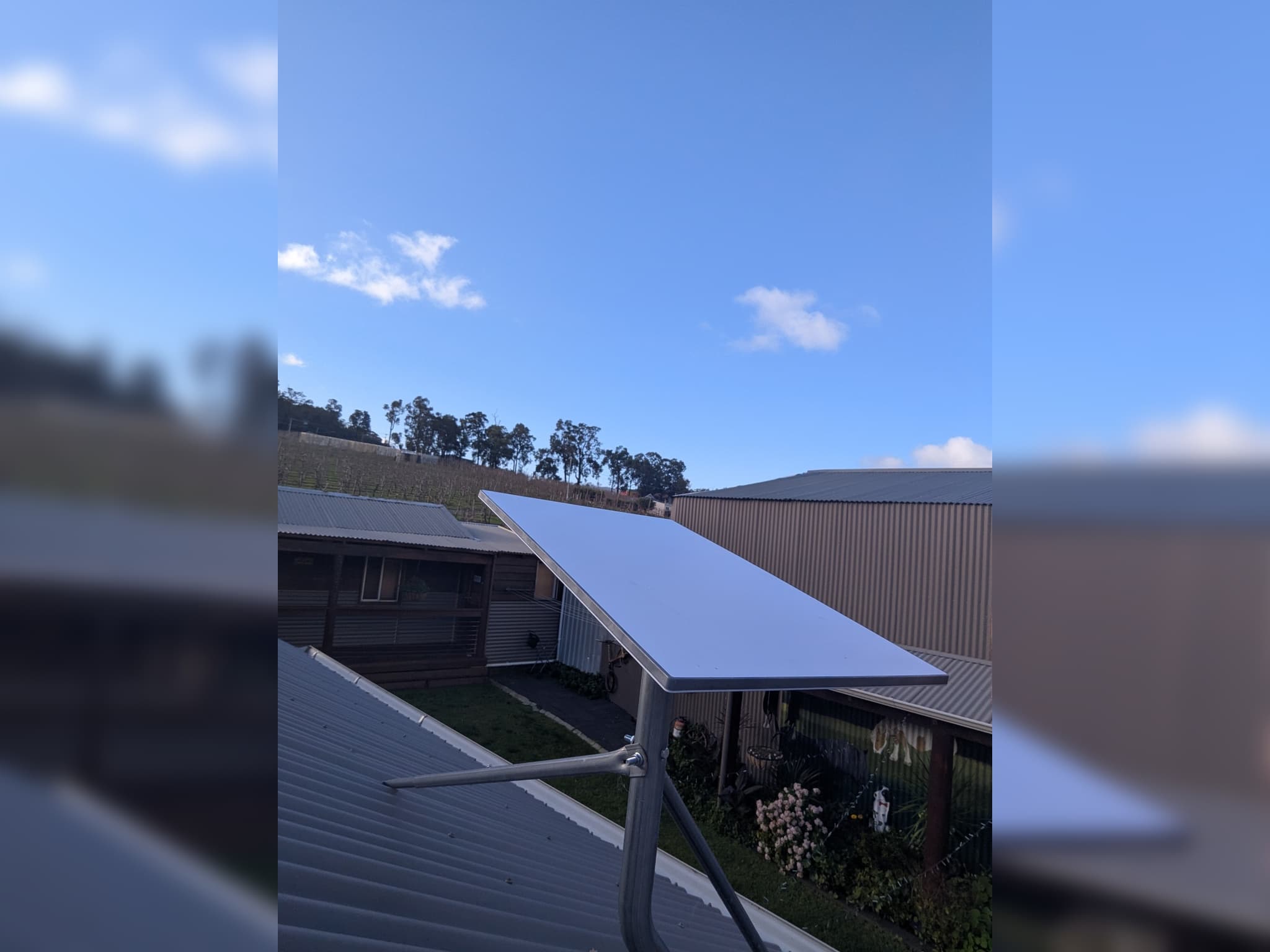
Why dish location matters
Starlink needs a clear view of the sky.
Trees, rooflines, chimneys, neighbouring buildings and even some parts of the same roof can affect performance if they block the dish's view. The Starlink app can help identify obstructions, but the final mounting location still requires some practical judgement.
The easiest place to mount the dish is not always the best place.
On some homes, the best location is near the roof ridge. On others, it may be a fascia mount, pole mount, wall mount or a location that keeps the cable path shorter and cleaner. On rural properties, trees and sheds can make the decision a bit more involved.
A good installer should consider both performance and the physical installation. The dish needs a clear sky view, but the cable also needs to be routed back into the home in a way that is neat, safe, and weather-resistant.
Why cable routing and weatherproofing matter
Poor cable routing is one of the easiest ways to spot a rushed Starlink install.
The dish may work perfectly, but if the cable is loose across the roof, hanging down the wall, pushed through a window, or entering the home through an ugly hole, the job is not finished properly.
Weatherproofing is especially important. A roof or wall penetration needs to be sealed properly. A quick blob of silicone is not the same as a planned, durable cable entry.
For roof entries, Blake Smart Solutions can use a Dektite seal where suitable to help keep the penetration watertight.
- where the cable will run
- whether exposed sections need conduit
- how to avoid sharp bends or pinch points
- how the cable will enter the building
- whether the entry point needs a Dektite or other suitable seal
- where the router will be placed inside
- whether the internal finish will look tidy
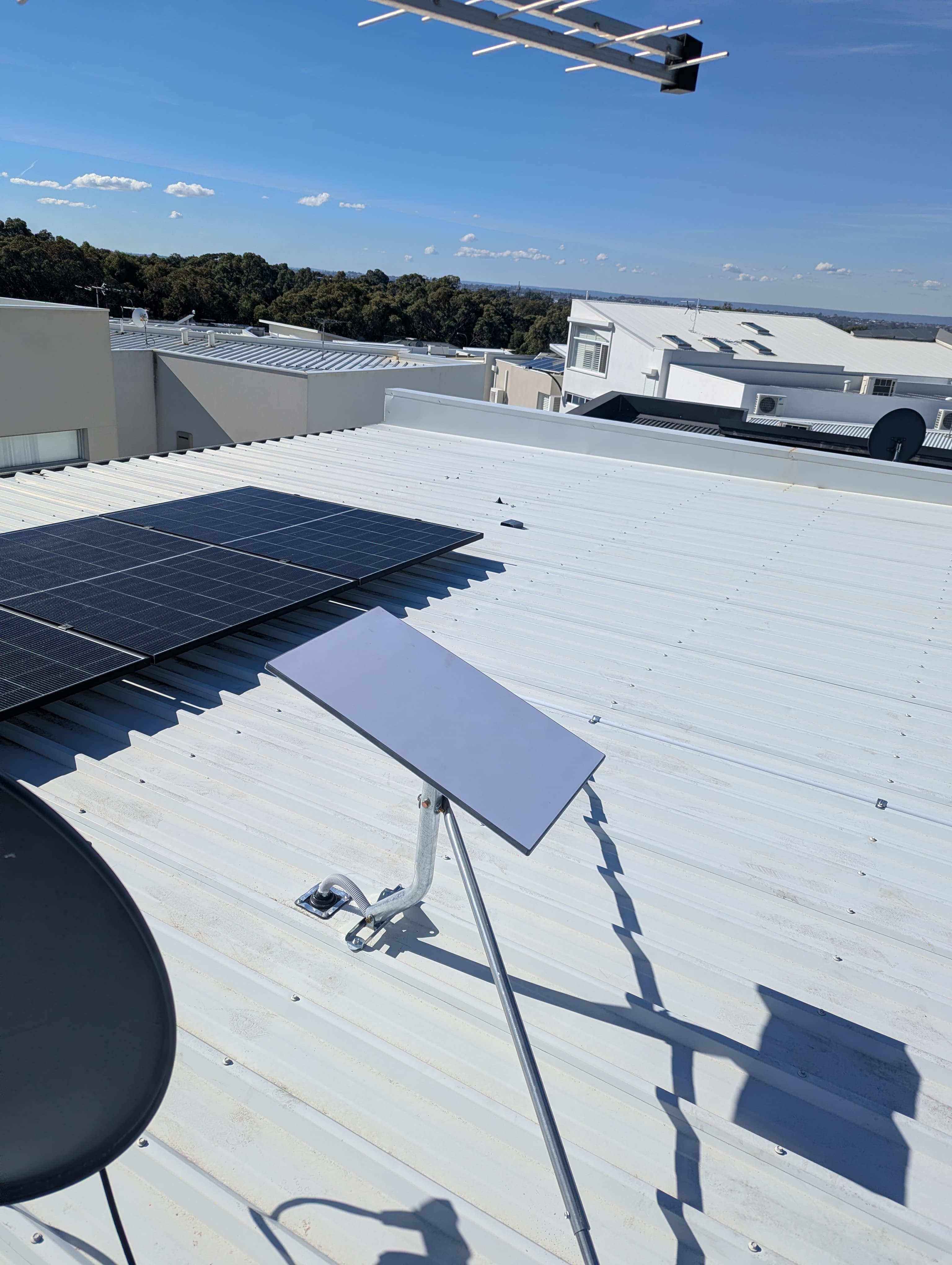
Router location matters too
The Starlink dish provides internet access, but the router's position affects how useful that connection is inside the home.
If the router is hidden in the wrong corner of the house, Wi-Fi coverage may be poor even if the Starlink connection itself is fast. This is common in larger homes, double-brick houses, long floor plans and properties with sheds or detached offices.
The router should be placed somewhere practical, not just wherever the cable happens to come in.
In some homes, the Starlink router will be enough. In other cases, the customer may need a mesh system, a wired access point, or a separate solution to extend Wi-Fi to a shed, granny flat, patio, or workshop.
This is why a proper Starlink installation should include at least a basic Wi-Fi function check before handover.
A cleaner internal finish with Gen 3 router brackets
The Starlink Gen 3 router and power supply are not tiny. If they are left loose on a bench, shelf or floor, the install can still feel messy even if the roof work is good.
Blake Smart Solutions can supply and install Gen 3 router brackets for customers who want a neater internal finish.
The bracket can hold the Starlink router and power supply together, tuck excess cable behind the bracket, and, in some cases, be installed over the cable entry point. This gives the equipment a proper home and helps prevent loose cables from lying around the room.
It is a small detail, but it makes a big difference in kitchens, studies, living rooms, garages, rental properties and holiday homes.
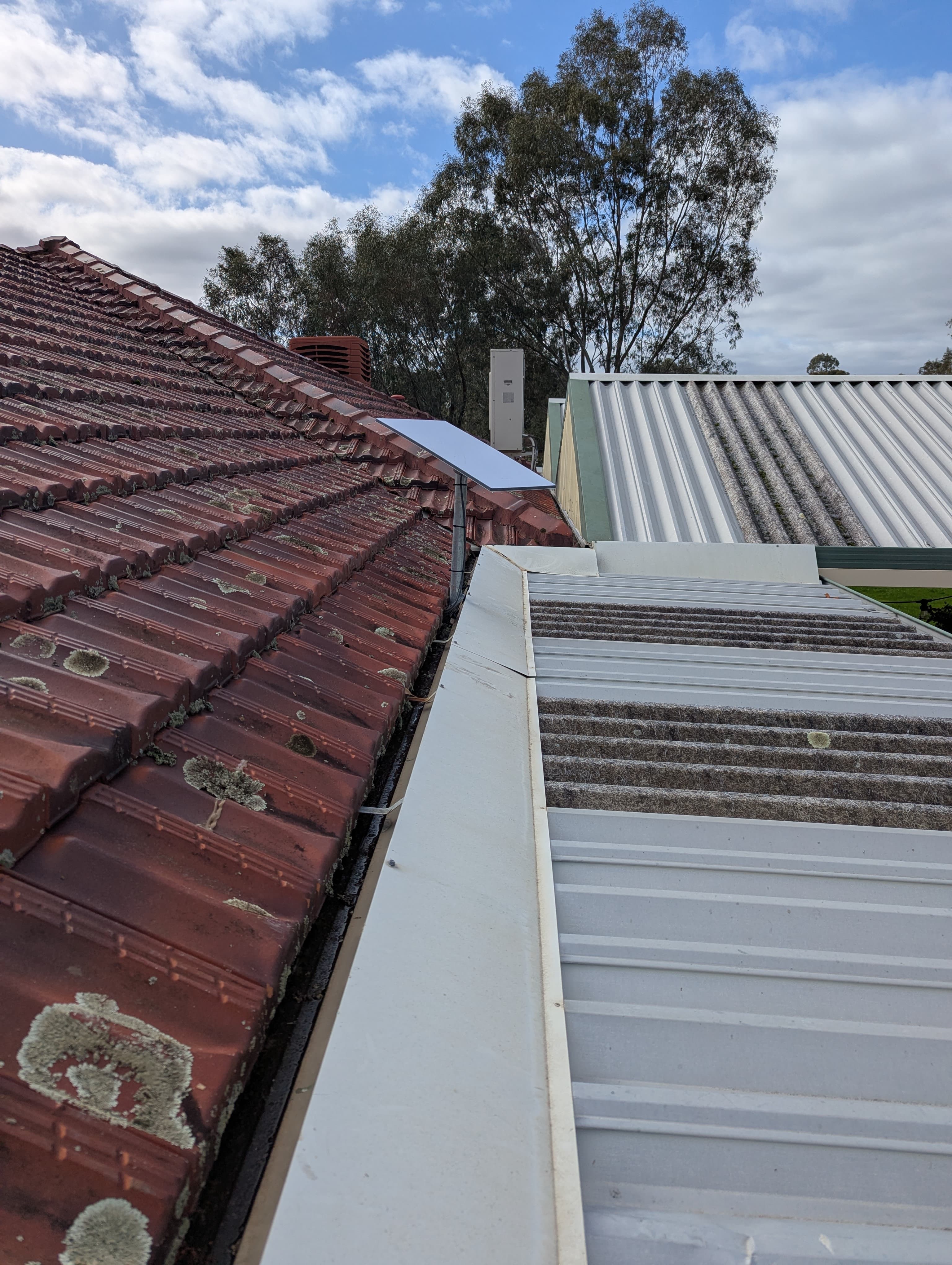
When DIY installation is fine
Not every Starlink setup needs a professional installer.
If you are testing Starlink temporarily, using it while travelling, or placing it somewhere safe and easy to access, a DIY setup may be completely fine.
The Starlink kit is designed to be user-friendly, and many people can get it online themselves.
- The dish is being used temporarily
- You do not need a roof mount
- The cable does not need to be permanently routed
- You are comfortable setting up the router
- The dish has a clear view of the sky from ground level
- The install does not involve roof access or drilling
When to book a professional Starlink installer
A permanent roof installation is different from a temporary setup.
Once ladders, roof access, cable entry, weatherproofing and internal finish are involved, it is usually worth getting the job done properly.
A good install is not just about making Starlink work on the day. It is about ensuring the system is secure, tidy, and practical for long-term use.
- The dish needs to be mounted on the roof
- The home is double-storey
- The roof is steep or difficult to access
- There are trees or possible obstructions
- You want a permanent cable route
- You want a neat internal finish
- You need conduit or weatherproofing
- You want the router placed properly
- You need Wi-Fi checked or improved
- The dish needs to go on a shed, pole or outbuilding
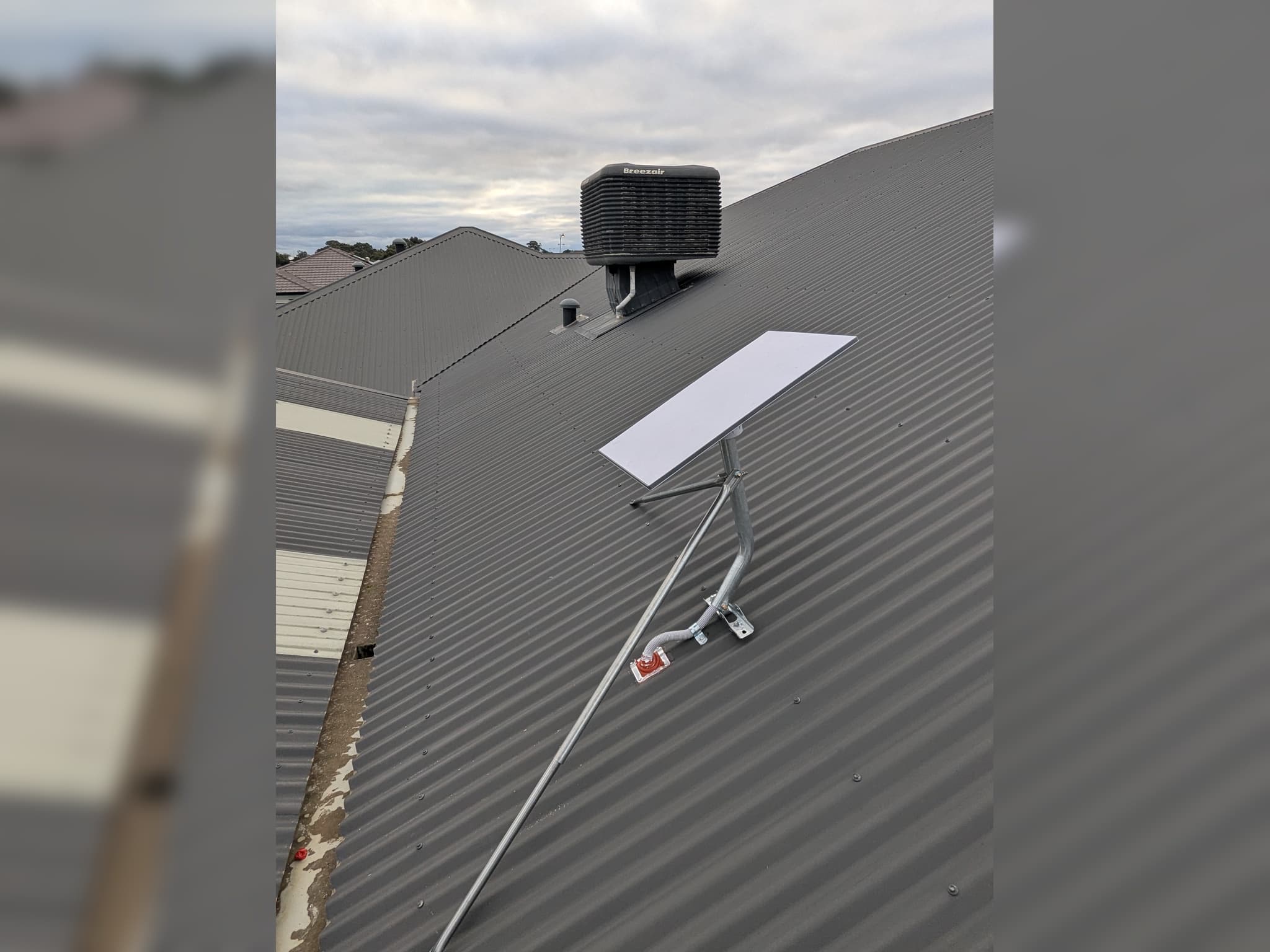
What Blake Smart Solutions includes
Not every property needs every item, but the aim is always the same: a neat, practical and reliable installation that looks finished inside and out.
- suitable Starlink roof or pole mounting
- pole adapter where required
- cable concealed through the pole where practical
- external conduit where needed
- tidy cable routing
- weatherproof cable entry
- Dektite seal, where suitable, for roof penetrations
- neat internal wall plate or router bracket where suitable
- Starlink system setup
- dish alignment
- obstruction check
- router setup
- Wi-Fi function check
- customer handover
What to send when asking for a quote
To get a clearer Starlink installation quote, it helps to send a few details up front.
Photos are especially useful. They help the installer understand roof access, likely mounting options and possible cable routes before attending the property.
- your suburb
- whether the home is single-storey or double-storey
- roof type, such as tile or Colorbond
- whether you already have the Starlink kit
- photos of the front, back and sides of the house
- photos of the roof, if possible
- where you want the router located
- whether there are trees around the property
- whether you need Wi-Fi extended to a shed, office or granny flat
Areas we service
Blake Smart Solutions installs Starlink systems across Perth, with regular work through the southern suburbs, Perth Hills and semi-rural areas.
We also assist customers in rural and semi-rural areas where the available internet options are not keeping up with work, streaming, video calls, smart devices or security camera access.
- Armadale
- Kelmscott
- Byford
- Baldivis
- Roleystone
- Bedfordale
- Kwinana
- Rockingham
- Fremantle
- Cockburn
- Canning Vale
- Mandurah
- Midland
- Ellenbrook
- Joondalup
- Wanneroo
- Two Rocks
- City Beach
- surrounding Perth suburbs
Frequently asked questions
Do I need to buy Starlink before booking an installer?
In most cases, yes. Customers usually buy the Starlink kit directly from Starlink first, then book an installer once the kit has arrived or is on the way.
Can Blake Smart Solutions install a Starlink kit I already bought?
Yes. We install customer-supplied Starlink kits across Perth, including roof mounting, cable routing, setup, testing and handover.
Can Starlink be installed on a two-storey home?
Yes, but two-storey installs need more planning. Roof access, safety, mounting location, cable routing and weatherproofing all need to be considered before the job starts.
Can Starlink be installed on a shed?
Yes, if the location is suitable. Some properties use a shed or outbuilding because it has a better sky view or a better mounting location. The internet then needs to be brought back to where it is needed, either by cable, Wi-Fi or a point-to-point link, depending on the property.
Does Starlink need a clear view of the sky?
Yes. Starlink performs best when the dish has a clear, unobstructed view of the sky. Trees, buildings and rooflines can affect performance if they block the dish's view.
Can you help with Wi-Fi after Starlink is installed?
Yes. Starlink provides internet access, but some homes still need help with Wi-Fi coverage. Larger homes, double-brick houses, sheds, granny flats and outdoor areas may need mesh Wi-Fi, wired access points or other networking solutions.
Book a Starlink installer in Perth
If you already have your Starlink kit or are planning to order one, Blake Smart Solutions can help with a professional installation across Perth.
We install customer-supplied Starlink kits with proper roof or pole mounting, tidy cable routing, weatherproof entry, router setup, Wi-Fi checks and customer handover.
Contact Blake Smart Solutions to book a Starlink installation in Perth.